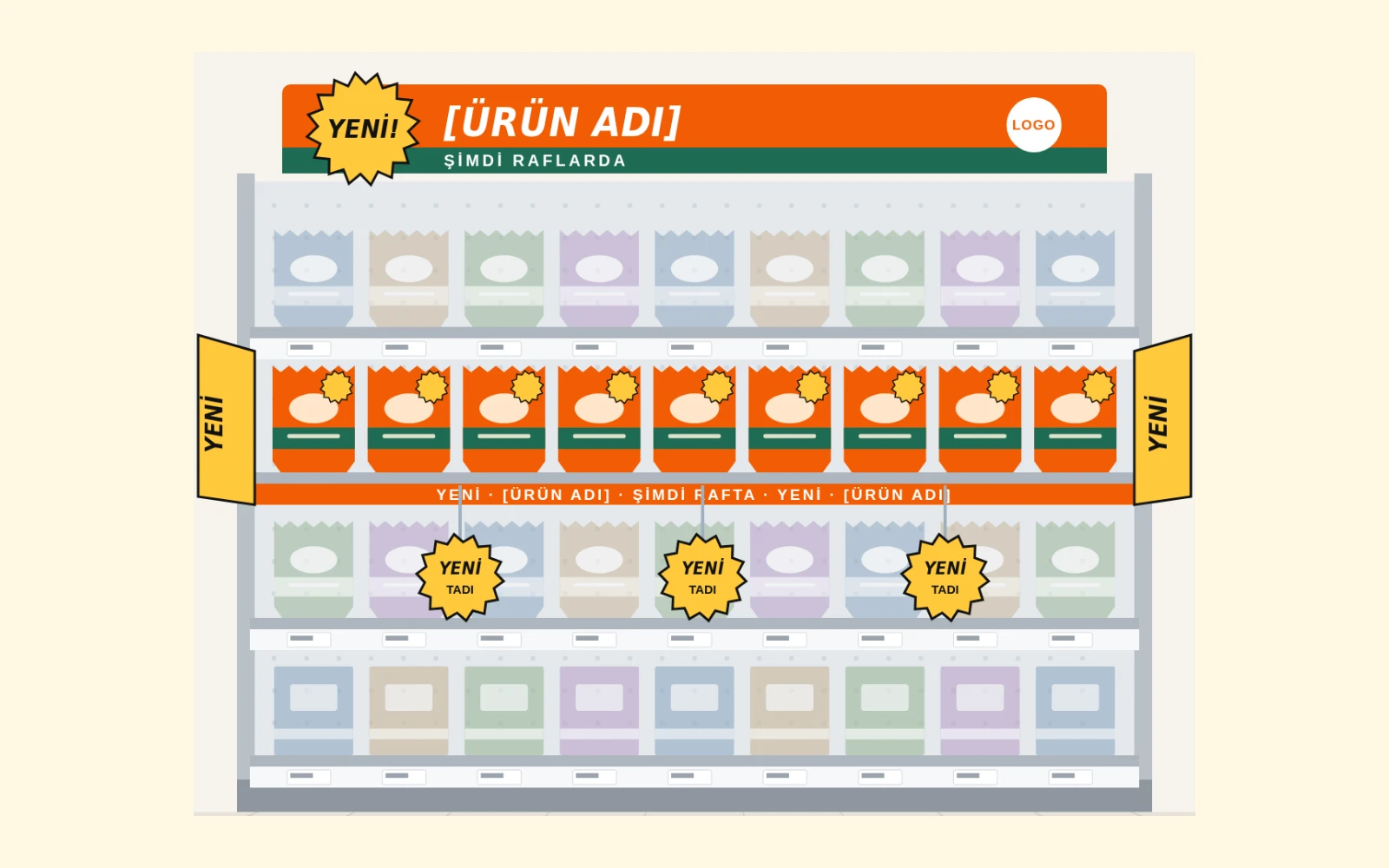
What is a wobbler? Dimensions, materials and usage
Clumsy Octopus · October 2026 · 3 min read

It is easy to crowd a small area at the shelf edge with too many messages. Consider wobbler selection around the message, placement and actual shelf dimensions.
What does it do?
A wobbler is a short-message piece attached to a shelf with a flexible arm. It can highlight a new product or campaign information without covering prices or blocking access to the product.
Choose the message first
Start with one main piece of information and a clear hierarchy. A shelf talker may suit a longer explanation, while a shelf strip can create continuity along the shelf.
Assess dimensions against the shelf
Start with circular options such as 8–15 cm. The ticket rail, product height, arm length and retailer requirements shape the final dimensions. Consider the shopper reaching for a product, access to neighbouring items and shelf cleaning. A full-size print makes details visible that are easy to miss on screen.
Materials and attachment
Options include 350 g/m² Bristol board, approximately 0.5 mm PP/PVC and clear PET/PVC spring arms. Choose around moisture, campaign duration, cleaning and the fixing point. The fixing area matters as much as flexibility: an overly rigid piece can obstruct access, while a weak attachment affects installation stability. Test the material and fixing together in one sample.
Artwork preparation
The archived production example has 3 mm bleed and a separate CutContour spot cut line. Prepare the final drawing to actual dimensions and the producer specification. Keep important copy within the safe area and away from folds or fixing areas. Proof approval should cover copy, cut paths, front/back orientation and the arm’s position against the product as well as colour.
Check contrast under store lighting
Brand colour alone does not ensure readability. Black or blue on yellow is a useful starting point for small copy; reserve red/yellow pairings for larger accents. Substrate, surface gloss and store lighting change the result. Read the sample from the shopping distance and check that the main message is easy to identify while campaign conditions remain clear.
Prepare the kit by location
If shelf dimensions or store types differ, match components to the location list. Label which pieces go to each store and avoid grouping different sizes under one ambiguous name. Include the current campaign date and artwork version on the installation sheet. Store staff can then identify the correct piece, orientation and installation sequence from one record when opening the kit.
Placement and installation
Assess quantity alongside shelf width and message density. Show placement, orientation and review points clearly on the installation sheet. Keep price labels, mandatory product information and product access clear. Install a sample shelf before distribution, then bring the kit and instructions to the same version after reviewing field feedback.
Separate handover records from campaign measurement
Installation photographs help check that the correct piece is at the correct location. Evaluate campaign performance through separate indicators, defining the period, store scope and data source before starting. Keeping the checklist, photographs and location record together makes missing pieces, incorrect orientation and outdated artwork easier to follow up.
A short checklist
- Is there one main message?
- Are pricing and product access unobstructed?
- Have the shelf attachment and arm been checked?
- Have cut lines, bleed and producer requirements been confirmed?